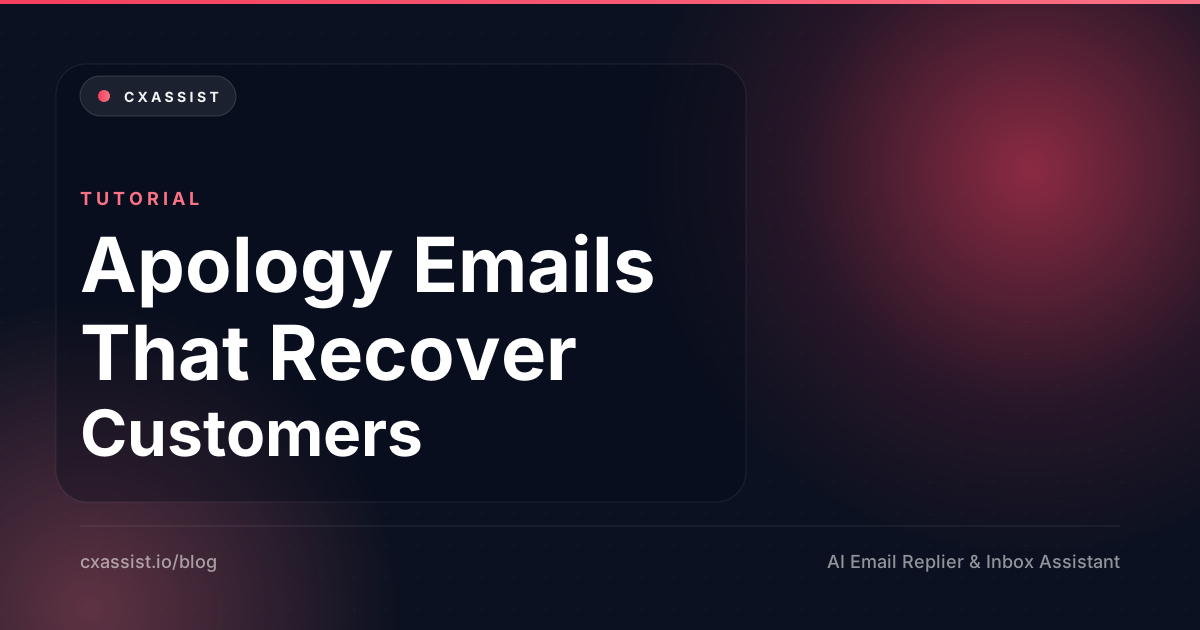
 Apology Email to Customer: 12 Templates & Examples (2026)
By Arshia M.·Founder, CXassist
Last updated May 28, 2026
customer-servicetemplatesapologyemail-examplessupportcustomer-experience
Apology Email to Customer: 12 Templates & Examples (2026)
Copy-paste apology email to customer templates for bad service, outages, billing errors, and shipping delays — plus a 4-part framework support teams use before they hit Send.
Get CXassist updates
We will email you from support@cxassist.io. No spam — product tips and new articles only.
An apology email to a customer is one of the highest-stakes messages a support team writes. Done well, it recovers trust. Done poorly, it accelerates churn. This guide gives you a copy-paste apology email template framework, answers to common questions, and 12 scenario examples you can adapt today.
Apology email to customer: quick FAQ
What belongs in every customer apology email?
Specific acknowledgement, owned responsibility, concrete repair, and an honest prevention note only when true. Skip "we apologize for any inconvenience" — customers read it as automation.
Apology email template you can copy (outline)
Hi [NAME], — I'm sorry [SPECIFIC WHAT HAPPENED]. That was our mistake. Here's what I've done now: [REPAIR]. [Optional: Here's what we changed so it won't repeat: [PREVENTION]]. — [YOUR_NAME]
Apology email for bad service or a bad experience
When the complaint is about how they were treated — not just a late package — lead with the interaction: "You waited three days for a reply and the last message didn't answer your question." Pair tone fixes with a real resolution. See Scenario 4 and 11 below.
Apology email for technical issues or an outage
State duration, plain-English cause, customer impact, credit or SLA remedy, and a link to a post-mortem if you have one. See Scenario 3 and 10.
Why most apology emails fail
The standard customer service apology email — "We sincerely apologize for any inconvenience this may have caused" — fails for three predictable reasons:
- It uses "may have" — a hedge. The customer knows the inconvenience happened. The hedge says you don't believe them.
- It uses "any" — a quantifier of dismissal. "Any inconvenience" is what you say when you're hoping it was minor.
- It doesn't promise anything. "We're committed to doing better" is not a commitment; it's a posture.
Customers know all of these phrases by reflex. The moment they see them, they classify your reply as form-letter and lose another tick of trust.
The 4-part anatomy of an apology email that works
Strong apology emails share a structure. You don't have to follow it rigidly, but every effective apology hits these four beats in roughly this order:
- Specific acknowledgement. Name what happened, using the customer's words if possible. "Your order arrived three days late and the box was damaged." Not "the issue with your order."
- Real responsibility. "We made a mistake." Not "this happened" or "we're sorry you experienced." Active voice. Owned.
- Concrete repair. What are you doing right now — not eventually — to make it right? Refund, replacement, credit, escalation, all of the above.
- Prevention promise (only if true). If you can credibly say you've changed something so this won't recur, say it. If you can't, don't fake it. Customers can smell the difference.
Now the templates. Each follows that structure.
Scenario 1: Shipping delay
Subject: Your order is late — here's what I did about it
Hi [NAME],
Your order #[ORDER_ID] should have arrived on [EXPECTED_DATE]. It didn't, and that's on us — we underestimated processing time at the warehouse this week. I've upgraded your shipping to overnight at no charge (new tracking: [LINK]) and added a $[AMOUNT] credit to your account for the inconvenience.
Going forward, we've added staff at the warehouse to prevent this for orders placed before the cutoff. Thanks for your patience. — [YOUR_NAME]
Scenario 2: Billing error (overcharge)
Subject: We overcharged you — here's the fix
Hi [NAME],
You were charged $[AMOUNT] when you should have been charged $[CORRECT_AMOUNT]. The difference of $[DIFFERENCE] has been refunded to your original payment method — you should see it within 5–7 business days. The mistake was on our end (a stale price in our billing system that we've now patched), not yours.
I'm sorry this happened. If you have questions about the original charge or want help reconciling with your accounting, just reply. — [YOUR_NAME]
Scenario 3: Service outage
Subject: We were down for [DURATION] today — here's what happened
Hi [NAME],
From [TIME] to [TIME] today, [SERVICE] was inaccessible. The cause was [PLAIN-ENGLISH EXPLANATION — e.g., "a misconfigured database failover during a routine deploy"]. We've credited your account for [AMOUNT/DURATION] and published a full post-mortem at [LINK] including the technical fix and the process change we've made to prevent it.
If this outage affected your customers and you'd like help drafting a note to them, just reply. — [YOUR_NAME]
Scenario 4: A support team mistake
Subject: Following up on your last conversation with our team
Hi [NAME],
I reviewed the thread you had with [AGENT_NAME] earlier this week. We should have caught [SPECIFIC THING] faster, and a couple of replies came across more dismissive than they should have. That's not the standard we hold ourselves to.
Here's what I've done: [SPECIFIC RESOLUTION — refund, replacement, escalation, etc.]. I've also shared this with our team as a coaching moment, and I'm personally available if you'd rather work with me on anything ongoing. — [YOUR_NAME]
Scenario 5: Product defect
Subject: That shouldn't have happened — replacement on the way
Hi [NAME],
The [PRODUCT] you received was defective. That's a manufacturing failure, not normal wear, and I'm sorry it slipped through quality control. A replacement is going out today via expedited shipping (tracking: [LINK]). You don't need to send the original back — keep it or recycle it.
If you'd prefer a refund instead of a replacement, just reply and I'll process that immediately. — [YOUR_NAME]
Scenario 6: Missed promised deadline
Subject: I owe you an update on [PROMISE]
Hi [NAME],
I told you I'd have [DELIVERABLE] to you by [DATE]. It's [TIME PAST DEADLINE] and I haven't delivered. The reason is [HONEST REASON, no excuses framing] — not an excuse, just context.
Here's what you can expect: [SPECIFIC NEW COMMITMENT WITH DATE]. If that timeline doesn't work for you, let me know and I'll see what we can do. — [YOUR_NAME]
Scenario 7: Wrong information given
Subject: Correction to what I told you earlier
Hi [NAME],
Earlier I told you [INCORRECT THING]. That was wrong — the actual answer is [CORRECT THING]. I should have checked before giving you a definitive answer; I apologize for the confusion this may have caused you to plan around.
If you've already made decisions based on the wrong information, tell me what they were and I'll help you adjust. — [YOUR_NAME]
Scenario 8: Account access issue (we locked them out)
Subject: Sorry for the lockout — your account is back open
Hi [NAME],
Our fraud-prevention system flagged your account incorrectly and locked it for [DURATION]. Your account is now fully restored and I've added a note so this specific pattern doesn't trigger again. There was no actual security issue on your side — this was our system being overcautious.
I know account lockouts are disruptive, especially when you're mid-work. If this caused you to miss anything time-sensitive, let me know and we'll make it right. — [YOUR_NAME]
Scenario 9: Lost data or work
Subject: An honest update on the [DATA LOSS EVENT]
Hi [NAME],
This is the hardest type of email to write, and I want to be direct: [DATA / WORK] was lost during [EVENT]. We've recovered [WHAT WAS RECOVERED, IF ANY] from backup. [WHAT WAS NOT RECOVERED] cannot be restored.
Here's what I'm doing now: [SPECIFIC RESPONSE — credit, alternative solution, escalation]. We've also changed [SPECIFIC PROCESS] so this exact scenario can't recur. I won't pretend this fixes what you lost — but I want you to know exactly what happened and what we're doing. — [YOUR_NAME]
Scenario 10: Security incident affecting their account
Subject: Important: a security incident may have affected your account
Hi [NAME],
On [DATE], we detected [INCIDENT — e.g., "unauthorized access to a portion of our customer database"]. Your account was among those potentially affected. The specific data exposed was [SPECIFIC LIST — emails, hashed passwords, etc.]. No [PROTECTED CATEGORIES — payment info, SSNs] were accessed.
Steps you should take: [SPECIFIC ACTIONS]. Steps we've taken: [SPECIFIC ACTIONS]. The full incident report and our response is at [LINK]. If you have questions, reply directly to me — not the form. — [YOUR_NAME]
For more on how AI tools handle sensitive data, see our piece on AI email security and privacy.
Scenario 11: Rude or unprofessional interaction
Subject: I owe you an apology for how that conversation went
Hi [NAME],
I read back through your thread with [AGENT] and the tone was out of line. You didn't deserve to be talked to that way, and I'm sorry. I've had a direct conversation with [AGENT] about it.
Setting aside how the conversation went, here's where we stand on your actual issue: [RESOLUTION]. If you'd rather work with someone else from here, I'm happy to take it over personally. — [YOUR_NAME]
Scenario 12: When you can't fix what they asked for
Subject: I wish I had better news on [REQUEST]
Hi [NAME],
I've looked into your request to [REQUEST]. I'm sorry — we're not able to do that, because [SPECIFIC REASON, not "policy"]. I know that's not the answer you wanted.
What I can offer is [SPECIFIC ALTERNATIVE]. It's not the same thing, but it gets close to what you were after. Want me to set that up? — [YOUR_NAME]
The "AI apology paradox" — when AI helps, when humans must write
Apology emails are the genuinely interesting case for AI email assistants. The structure is repeatable — the four-part anatomy above works across scenarios — so AI can draft a strong opener in seconds. But the specific facts and the emotional calibration often require human judgment.
The right division of labor: AI drafts, humans review. For low-stakes apologies (shipping delays, small billing errors), the AI's draft is usually 95% there and a human just hits Send after a quick read. For high-stakes apologies (data loss, security incidents, enterprise escalations), the AI's draft is a starting scaffold that a human substantially rewrites.
The point isn't to remove the human from the apology — it's to remove the blank page. Staring at an empty compose window for a "we lost your data" email is paralyzing. Having a draft to react to is much easier.
Want apology drafts that match your voice automatically?
CXassist trains on your past replies, so when an apology-worthy email lands in your inbox, the draft already sounds like your brand. You stay in control of every send — but you stop starting from zero. See the full library of 18 customer support email templates for more scenarios, or the guide to cutting response time 80% for the broader playbook.
Try CXassist free for 14 days — no credit card required.
Get CXassist updates
We will email you from support@cxassist.io. No spam — product tips and new articles only.
Continue reading
Related posts
 Outlook AI Email Assistant Setup (2026): Microsoft 365 Draft-First Guide
Tutorial
Outlook AI Email Assistant Setup (2026): Microsoft 365 Draft-First Guide
 How to Train an AI Email Assistant on Your Brand Voice (Without Garbage Data)
Tutorial
How to Train an AI Email Assistant on Your Brand Voice (Without Garbage Data)
 Knowledge Base for AI Support: Docs That Produce Better Replies
Tutorial
Knowledge Base for AI Support: Docs That Produce Better Replies